Working with PDFs is still part of many professional workflows. Invoices, statements, reports, and supporting documents often need to be adjusted before they can be stored, shared, or processed further.
This free tool lets you merge and split PDF files quickly and securely, directly in your browser. No account is required, and your files remain on your device at all times.
This tool focuses on two essential actions that cover most everyday PDF needs.
Combine multiple PDF documents into a single file. This is useful when you need to:
Files can be reordered before merging, giving you full control over the final document. The tool works as a free PDF merger without limitations or watermarks.
Extract pages from a PDF with precision.
This makes the tool an effective free PDF splitter for both simple and more detailed use cases.
The tool is designed to be straightforward and does not require prior experience.
1 Select Merge PDFs
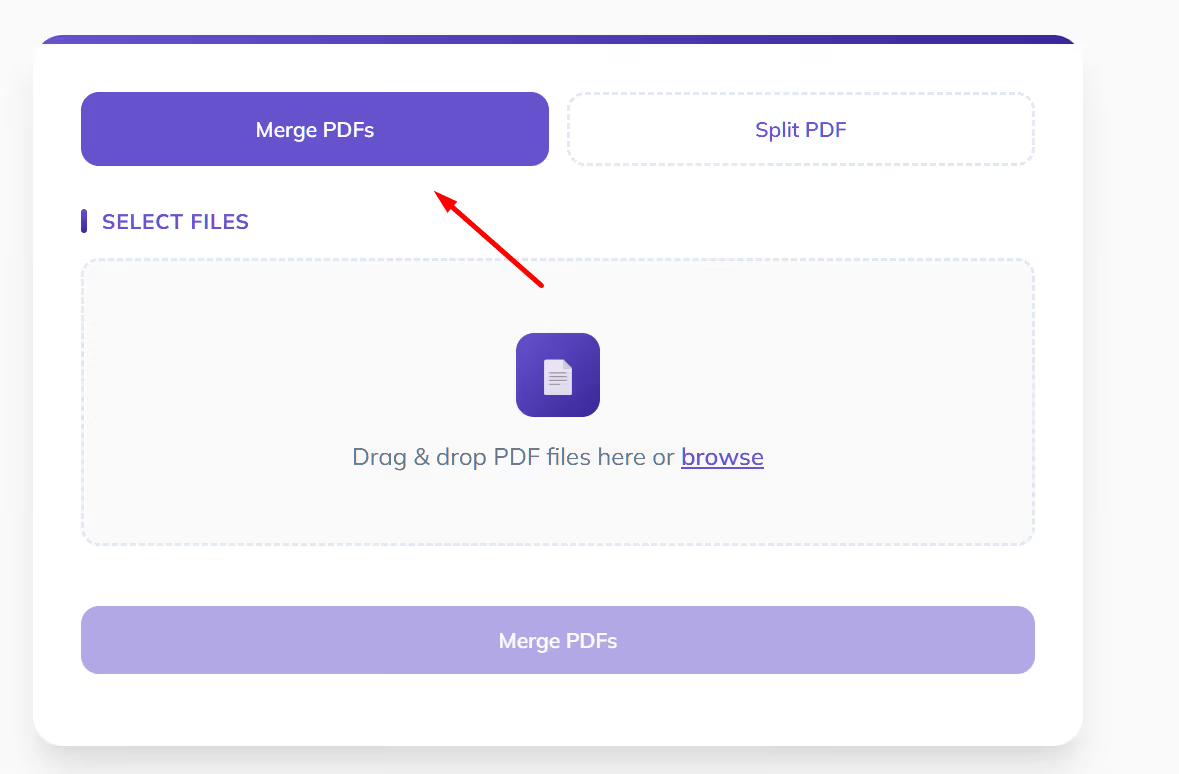
2 Drag and drop two or more PDF files
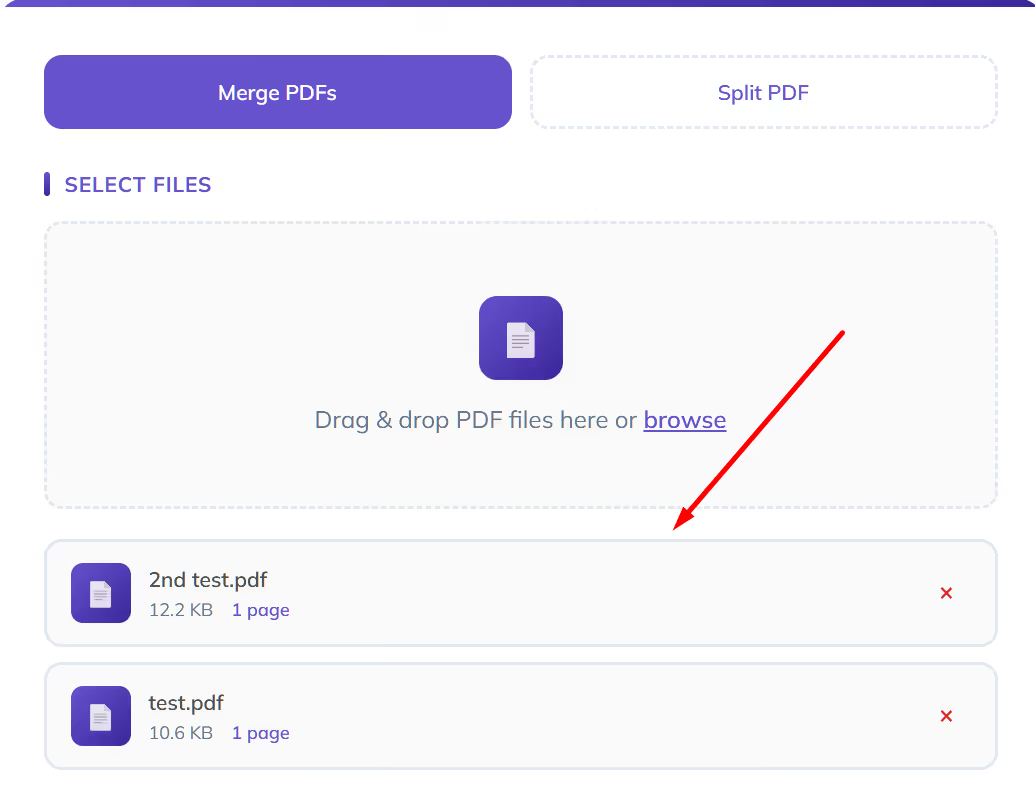
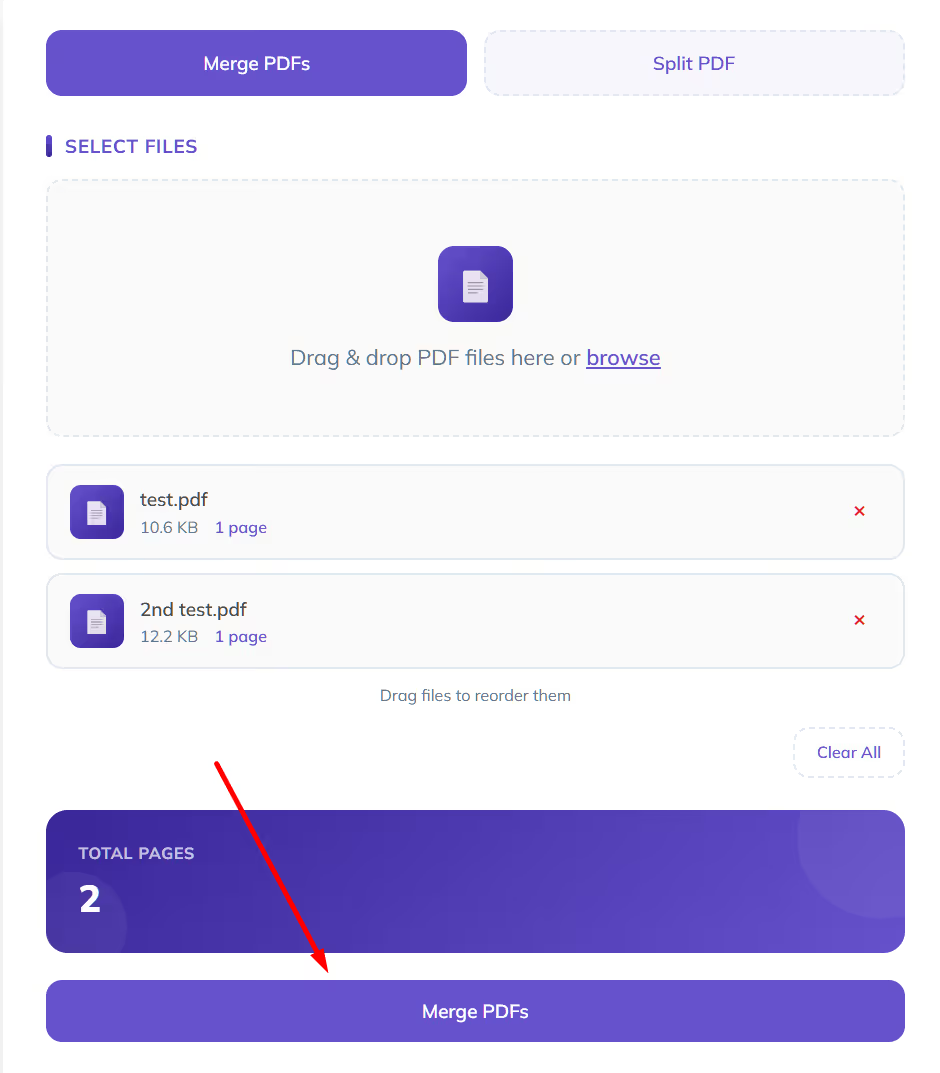
3 Adjust the order if needed
4 Click the lower Merge PDFs button to download the file
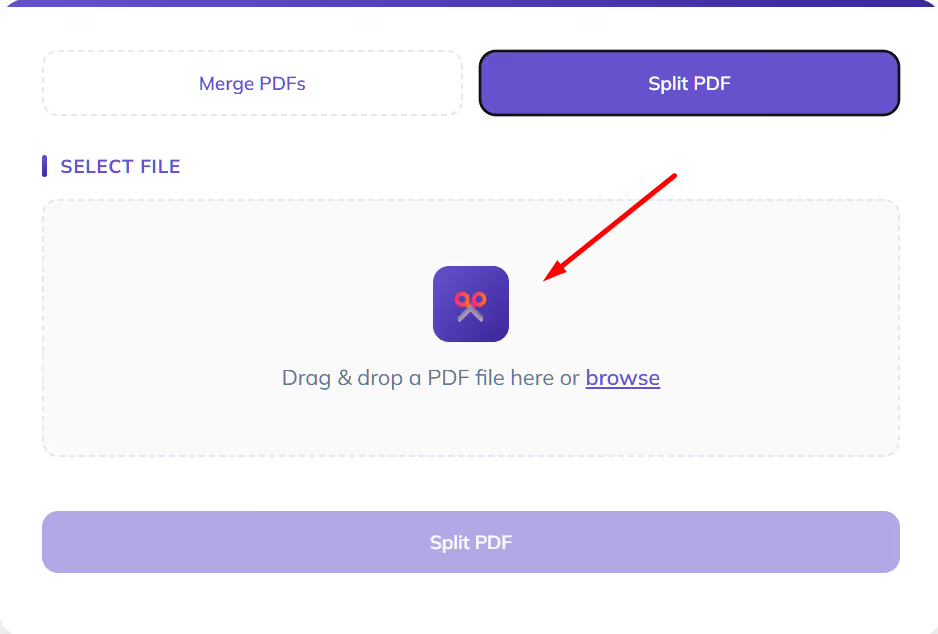
1 Select Split PDF
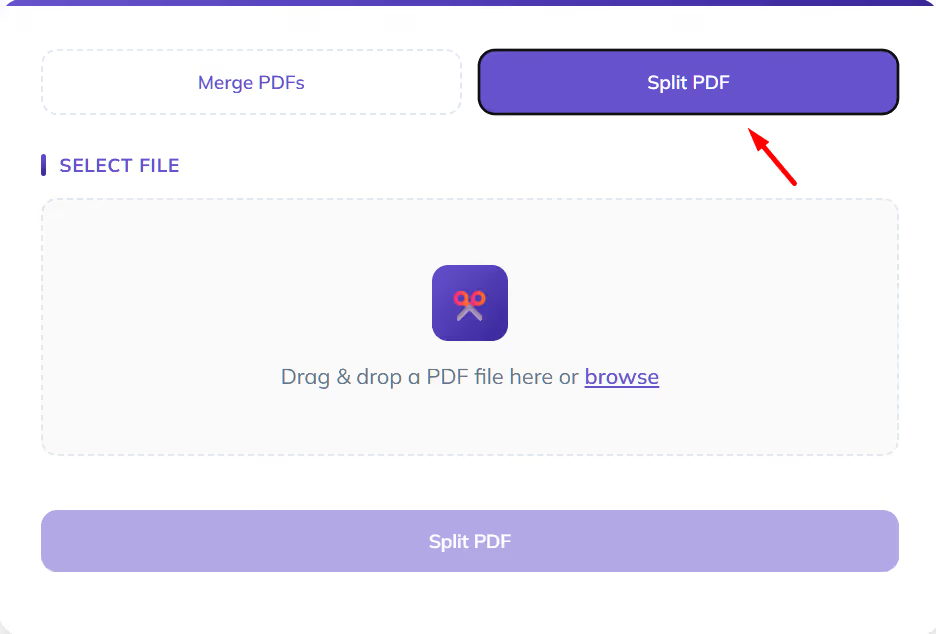
2 Upload a PDF file
3 Choose a split method
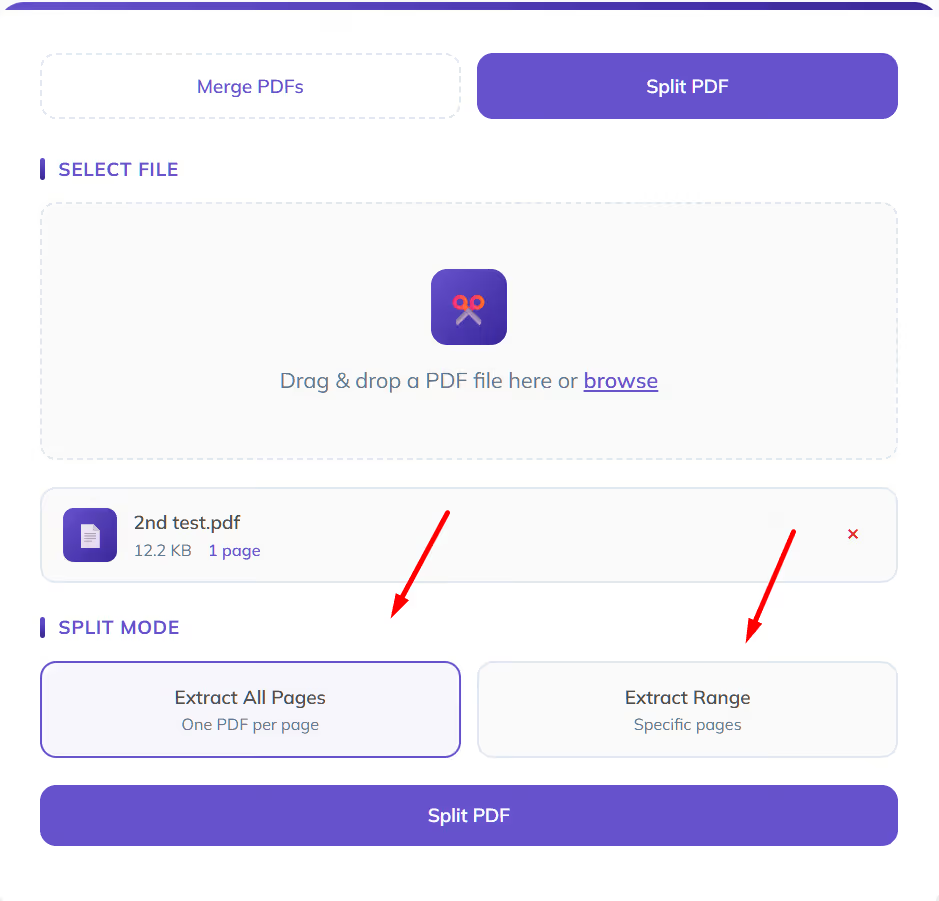
4 Click the lower Split PDF button to download the split files
.avif)
Many PDF tools offer similar functionality on the surface. The differences become clearer when it comes to privacy, reliability, and usability.
With Eleven’s free PDF tool, all PDF processing happens directly in your browser.
This is particularly important when working with financial or client-related documents.
The tool is fully accessible without registration. There are no artificial limits, watermarks, or forced upgrades.
You can use it whenever you need to merge PDF files or split PDF documents, without interruptions.
This tool is useful in many scenarios, including:
It is designed to remove friction from routine document handling.
This free PDF splitter and merger is designed to support everyday document handling, especially in professional and finance-related workflows.
Accounting teams often receive invoices and receipts as separate PDF files. Using the free PDF merger, these documents can be combined into a single, clearly ordered PDF before uploading them to an accounting or document management system.
This is particularly useful for:
Bank and credit card statements are frequently delivered as long PDFs that cover multiple periods.
With the free PDF splitter, you can:
This helps keep records clean and easier to reconcile.
Before reconciliation or internal review, it is often necessary to:
This tool allows you to merge PDF files or split PDF documents quickly, without modifying the original files.
Client-provided documents are not always structured in a usable way. Files may be scanned, out of order, or combined incorrectly.
The tool makes it easier to:
This reduces manual cleanup and improves consistency across client files.
In many cases, only part of a PDF needs to be shared or archived.
Examples include:
The free PDF splitter makes it easy to extract exactly what you need.
Splitting and merging PDFs is often just a preparation step.
Eleven is an online accounting platform built specifically for CPA firms and family offices. It supports more advanced workflows, including:
If your work involves recurring invoices and financial documents, Eleven helps you manage the full process beyond the PDF itself.
👉 Try Eleven’s free trial: https://www.runeleven.com/test-drive
Yes. This is a free PDF merger and splitter and does not require an account.
No. All processing happens locally in your browser. Your files never leave your device.
Yes. Files can be reordered by dragging them into the desired sequence before merging.
Yes. You can specify individual pages or page ranges, such as 2–4 or 1, 3, 5–7.
Yes. The tool works on modern browsers on both desktop and mobile devices. Larger files are generally easier to manage on desktop.




