If you run or manage an accounting firm or family office, billable hours are one of the most important performance indicators you have.
Yet most firms still rely on spreadsheets, rough estimates, or disconnected time tracking data. That makes it harder to see where revenue is actually generated and where time is quietly lost.
Eleven’s free billable hours calculator helps you measure utilization rates, effective hourly rates, and revenue per available hour. Simply enter your time and revenue data above to get immediate insights into team efficiency and firm performance.
Using the calculator is straightforward and only takes a few inputs. Each field helps generate a complete picture of productivity and revenue performance.
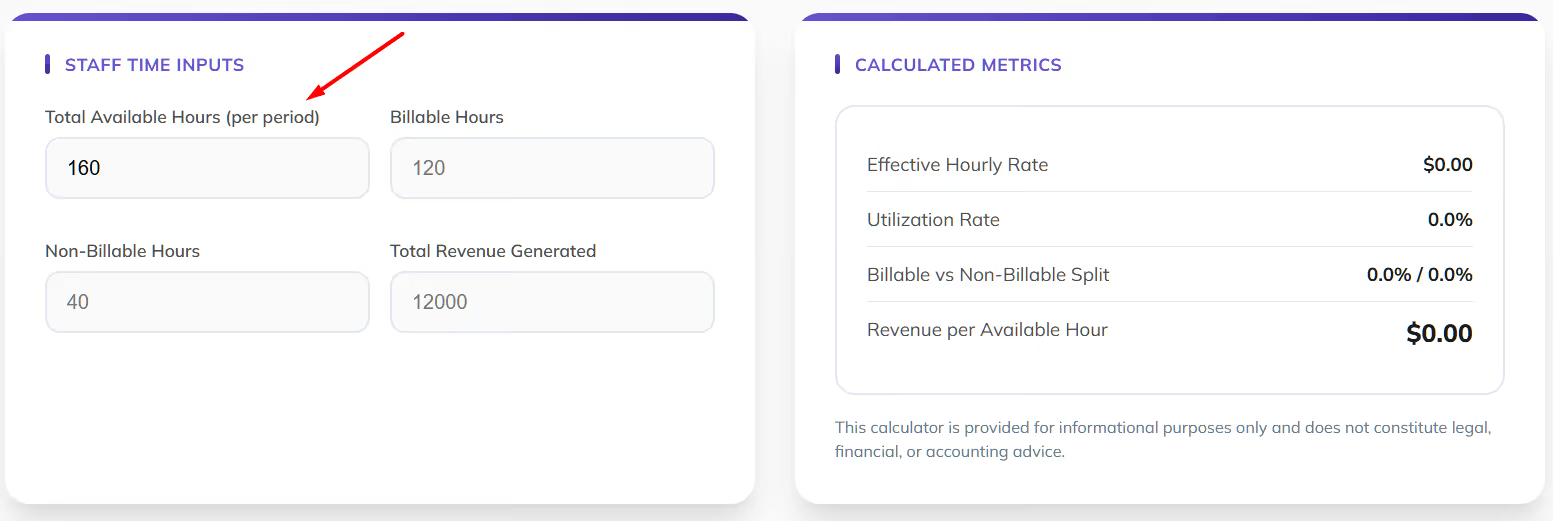
This represents the total working time during a specific period. It can be weekly, monthly, quarterly, or yearly. Include all available work time, not just client work.
Example:
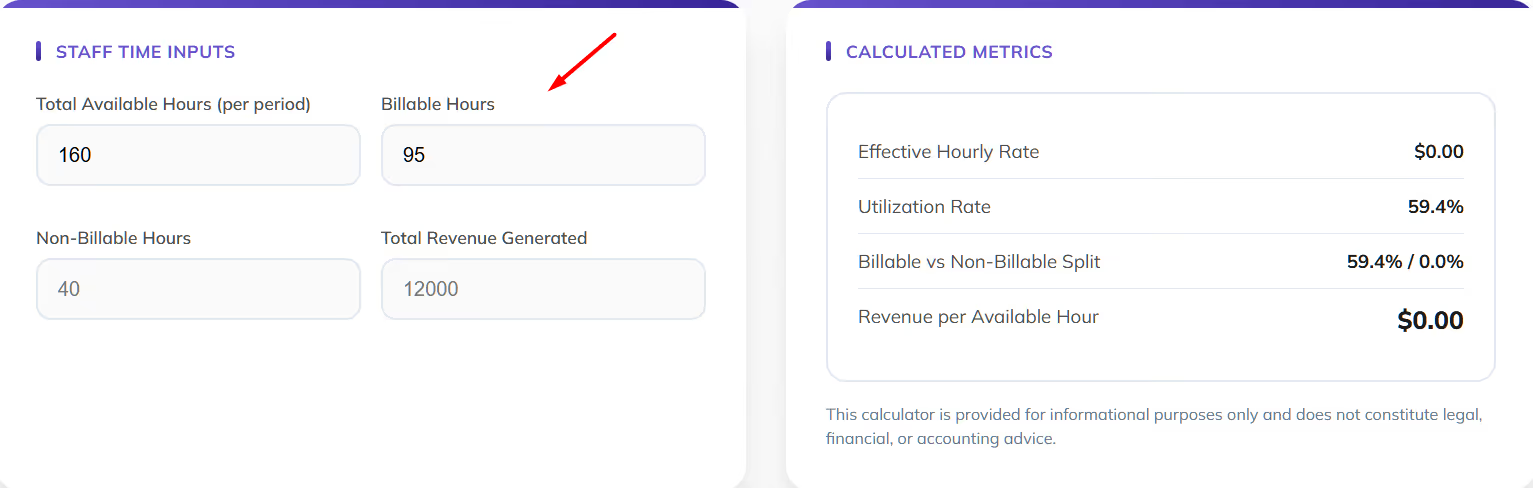
These are hours spent directly working on client services that generate revenue. This typically includes advisory work, bookkeeping, audits, tax preparation, and consulting services.
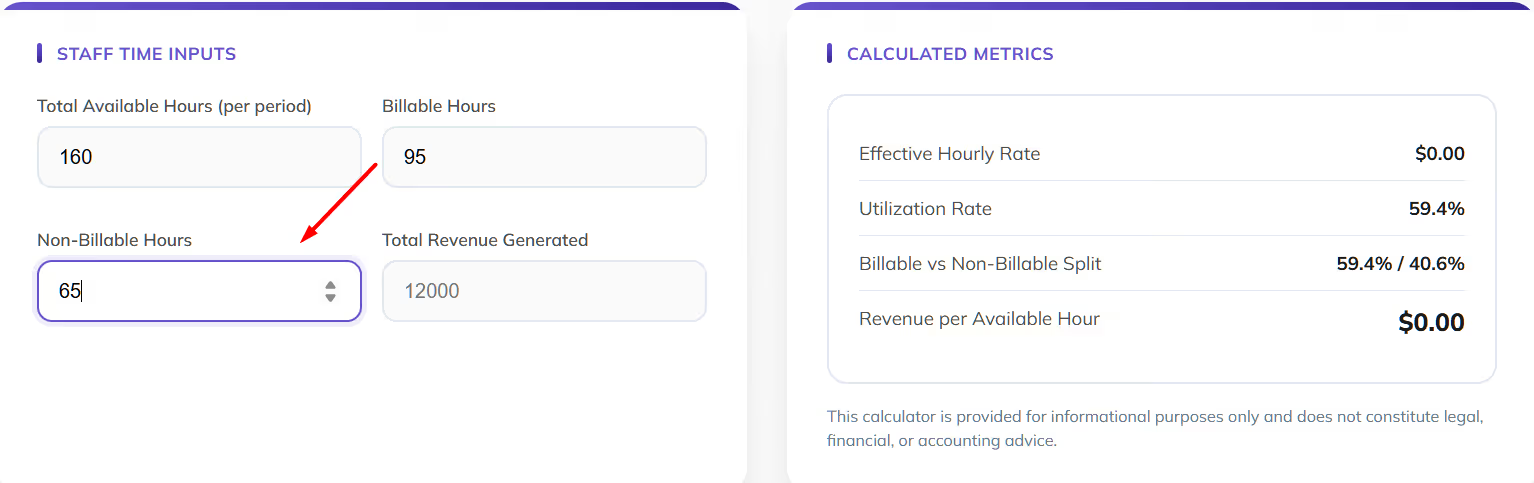
Non-billable time includes internal meetings, training, administration, marketing, onboarding, and business development activities. This time is essential but does not generate direct client revenue.
Enter the revenue generated from the billable work during the selected period. This allows the tool to calculate profitability and pricing efficiency.
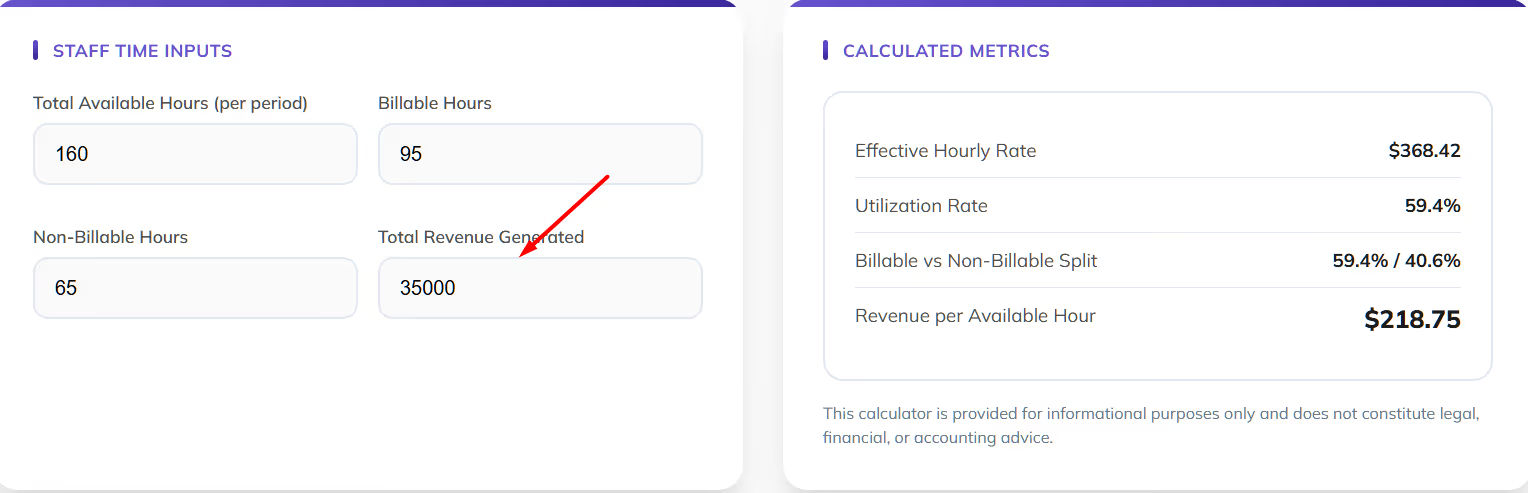
The calculator automatically shows:
These metrics provide quick visibility into operational efficiency and pricing health.
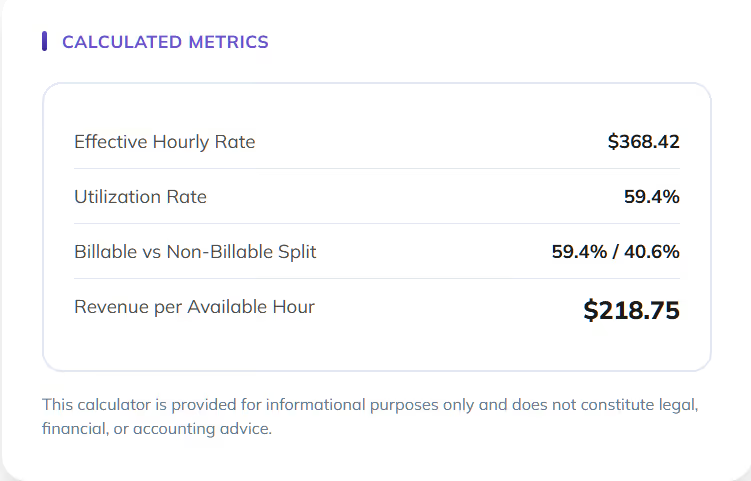
Here’s why you should a Billable Hours Calculator like ours:
Billable hours are more than a time tracking metric. They are one of the clearest indicators of how efficiently a firm converts expertise and working time into revenue.
When firms lack visibility into billable versus non-billable work, profitability gaps often go unnoticed, pricing decisions become guesswork, and capacity planning becomes reactive instead of strategic.
A billable hours calculator helps transform raw time data into meaningful performance insights. By measuring utilization and revenue efficiency together, firms gain a clearer understanding of how teams operate, where time is being spent, and whether current pricing models reflect the true value of services delivered.
Consistently tracking billable hours helps firms:
Over time, these insights support stronger decision-making across staffing, service offerings, and client engagement strategies. Instead of relying on assumptions, firms can use measurable data to guide growth and improve overall financial performance.
A senior accountant works 160 hours in a month.
Results:
This shows strong productivity while highlighting how non-billable time impacts total revenue potential.
A financial advisory team has 480 available hours across three employees.
Results:
This example helps leadership understand whether pricing, staffing levels, or internal workflows need adjustment.
A firm wants to monitor weekly workload balance.
Results:
This type of tracking helps firms optimize scheduling and maintain predictable profitability.
Spreadsheets and disconnected time tracking tools can provide rough visibility into billable hours, but they often create fragmented data across billing systems, financial reporting tools, and internal workflows. This makes it difficult for firms to monitor performance trends, maintain accurate reporting, and confidently plan for growth.
This free billable hours calculator provides a quick snapshot of utilization, revenue efficiency, and productivity during a specific period. It helps firms understand how time translates into revenue and where improvements may be needed.
Many accounting firms and family offices eventually move toward integrated systems that connect time tracking, billing, and financial reporting into a single platform. This approach reduces manual reconciliation, improves accuracy, and provides ongoing visibility into firm performance.
Eleven is online accounting software designed specifically for CPA firms and family offices that want to track performance more consistently and make data-driven decisions with confidence.
With Eleven, firms can:
Start your free trial of Eleven and gain continuous visibility into staff performance, billing efficiency, and financial results in one platform.
Billable hours are calculated by tracking time spent performing services that can be invoiced to clients. The basic formula is:
Billable Hours = Total Work Time − Non-Billable Time
You can then calculate utilization using:
Utilization Rate = Billable Hours ÷ Total Available Hours × 100
This calculator performs these calculations automatically and also includes profitability metrics.
The value of 1600 billable hours depends on the billing rate. For example:
This number is commonly used as a yearly productivity benchmark for accounting professionals.
7.6 hours equals 7 hours and 36 minutes.
To convert decimal hours into minutes:
Multiply the decimal portion by 60.
Example:
0.6 × 60 = 36 minutes
So 7.6 hours = 7 hours and 36 minutes.
A strong billable utilization rate typically falls between 65% and 80% for accounting firms and advisory teams. The ideal level depends on firm structure, service mix, and seniority level.
Junior staff may have higher utilization targets, while partners and senior advisors usually have lower targets due to leadership, client relationship management, and business development responsibilities.




