An invoice app is a tool designed to manage your invoices and payments. Some are better for entrepreneurs, some have more advanced features for larger businesses. Find the best invoice app for your business here.
In this article we will help you understand what an invoice app is, when you need it and what type of app is the best fit for you and your business.
This translates to friction with your clients, delayed or incorrect payments, and revenue loss.
Not ideal, especially if you’re dealing with 3-5 clients.
With an invoice app you can automate this process, save your recurring invoices or bills, and automatically send payment reminders.
What is an invoice app?
An invoice app is a tool that helps you create, send, and manage your invoices easily.
These apps are particularly useful for small businesses, freelancers, and entrepreneurs who have several payers. For example, real-estate agents, translators, etc.
For larger businesses, an invoice app would definitely fall short because you would have to integrate with many other tools. In this case, we recommend using an accounting tool that can handle all of your finances in a more scalable way or invoice accounting software.
Invoice apps simplify the billing process by providing ready-to-use invoice templates that can be customized with your business logo, payment terms, and itemized details such as products, quantities, taxes, and discounts.
These tools also include automation features that will allow you to automatically send recurring invoices, track payments, calculate taxes, and send reminders to clients who have fallen behind in their payment schedule.
For small businesses, an invoice app is important to protect your bookkeeping and cash flow management.
Invoice app vs. invoice generator
Invoice apps and invoice generator both have the same goal: to create your invoices.
However, there are some differences.
An invoice app is designed to take over billing and invoicing management, including some automated features.
Invoice apps manage the full lifecycle of your invoices, including creation, delivery, and payment collection. You can store client data, track unpaid invoices, send automated reminders, and integrate payments.
You can even take it further by choosing invoice apps that are integrated in accounting or bookkeeping software, where you can manage your whole finances.
On the other hand, an invoice generator is a much simpler and basic tool.
These are designed for microbusinesses or solopreneurs who have a unique payer.
With invoice generators you manually enter client details, products or services, amounts, and tax rates, then download or email the invoice as a PDF.
They provide speed and convenience, but once the invoice is sent, you typically lose visibility over its status.
When do you need an invoice app?
If you only send one invoice a month, you can easily manage with tools like Google Docs, Excel, or a simple downloadable invoice template, or invoice generator.
However, once your business starts growing and you start to handle multiple clients, projects, or recurring payments an invoice app can save you from a lot of the struggle.
You’ll know it’s time to switch to an invoice app when:
You spend too much time creating and sending invoices manually
You have recurring clients or subscription-based billing
You want to accept online payments or track overdue invoices
You need better visibility into cash flow and payment history
You want a more professional appearance for your billing process
An invoice app will help you save time, reduce human error and improve client relationships by making payments smoother and faster.
Features in an invoicing app
There are many invoicing apps you can choose from, including some free options.
However, before choosing your tool, there are some important features you should look out for.
Customizable invoice templates
When you create your brand, you should make sure that all documents that come from you follow the same pattern, colour scheme and presentation because they will be associated to you and your brand.
Yes, presentation matters. Even in an invoice.
Many apps offer templates that you can customize to add your logo and brand colors. With templates, you will be able to keep your brand with a professional invoice without spending too much time on the design.
Some tools also give you the option to create reusable templates for different clients or services.
Invoice tracking and status updates
Once an invoice is sent, you need to know what happens next. The problem is that when you send out many invoices at the same time, losing track of one can be easy.
The best invoice apps provide real-time tracking. This feature shows you when an invoice has been delivered, viewed, and paid.
This visibility helps you stay on top of pending payments without the need for manual follow-ups.
It also gives you data on average payment times, so you can identify slow-paying clients and adjust your processes accordingly.
Automated payment reminders
Late payments are a common pain-point for small businesses.
When a client misses the payment deadline, they will automatically send a friendly reminder.
Aside from saving you the awkward email, it will help you focus on other tasks instead of having to check daily if there are any unpaid invoices.
Recurring billing and subscriptions
If you have regular payments, such as retainers or subscriptions, you can automate these bills.
For businesses that charge customers regularly, such as service retainers, memberships, or subscription plans, recurring billing is a must-have feature.
Instead of manually generating invoices each month, the app automatically creates and sends them on a predefined schedule.
This automation saves significant time and ensures your recurring clients are billed accurately and on time.
Security and data protection
Since invoicing involves sensitive financial and client data, security is non-negotiable.
Choose an app that provides encrypted data storage, two-factor authentication, and regular automatic backups.
A secure invoicing platform protects your business from unauthorized access, fraud, and data loss.
The best invoice apps allow clients to pay directly through the invoice using integrated payment options like credit cards, PayPal, Stripe, or bank transfers.
Bonus: Integration with bookkeeping and accounting tools
The most powerful invoice apps integrate seamlessly with your bookkeeping and accounting systems.
For example, Eleven combines invoicing with AI-driven bookkeeping, automatically recording each invoice, categorizing income, and reconciling transactions.
7 Best Invoice Apps
Efficient invoicing software is essential for maintaining healthy cash flow and ensuring accuracy in every client transaction. From freelancers to large enterprises, the right invoice app can automate billing, track payments, and simplify financial management. Below are seven of the best invoice apps to consider in 2026.
1. Eleven
⭐⭐⭐⭐⭐ Rating
Capterra 4.9/5
Overview
Eleven is more than a simple invoice app, it is a complete accounting software that include all the necessary features any accounting firm needs. Including automated accounts payable and accounts receivable.
Eleven connects invoice management with AI-powered accounting, multi-entity control, and multicurrency reporting.
The system integrates seamlessly with ERP and accounting tools, ensuring invoices, payments, and reconciliations stay fully aligned across departments.
You can generate your invoices in seconds automatically or manually and save them for future entries.
Check out this video to see how to generate and create payments!
✔️ Pros
Advanced automation for AP and AR
Real-time reconciliation and compliance-ready financial records
Multicurrency and multi-entity support
Scalable solution
✖️ Cons
Not ideal if you’re looking for a free or lightweight invoicing app
No permanent free plan, though a free trial is available
Pricing
Eleven offers different pricing structures depending on your business type.
For accounting firms, plans start at $35/month (Standard) and $40/month (Professional), priced per entity. An Enterprise plan is available with custom pricing from $999/month for large-scale operations. All plans include unlimited users, AI-powered invoice extraction, multi-currency support, and bank reconciliation.
For family offices, the Single Family Office plan is $55/month and includes multi-entity accounting, AI-powered insights, intercompany transactions, and a custom report builder. Multi-Family Office pricing is available on request.
A 7-day free trial is available across all plans, with no credit card required.
2. Zoho Invoice
⭐⭐⭐⭐⭐ Rating
Capterra 4.7/5
Overview
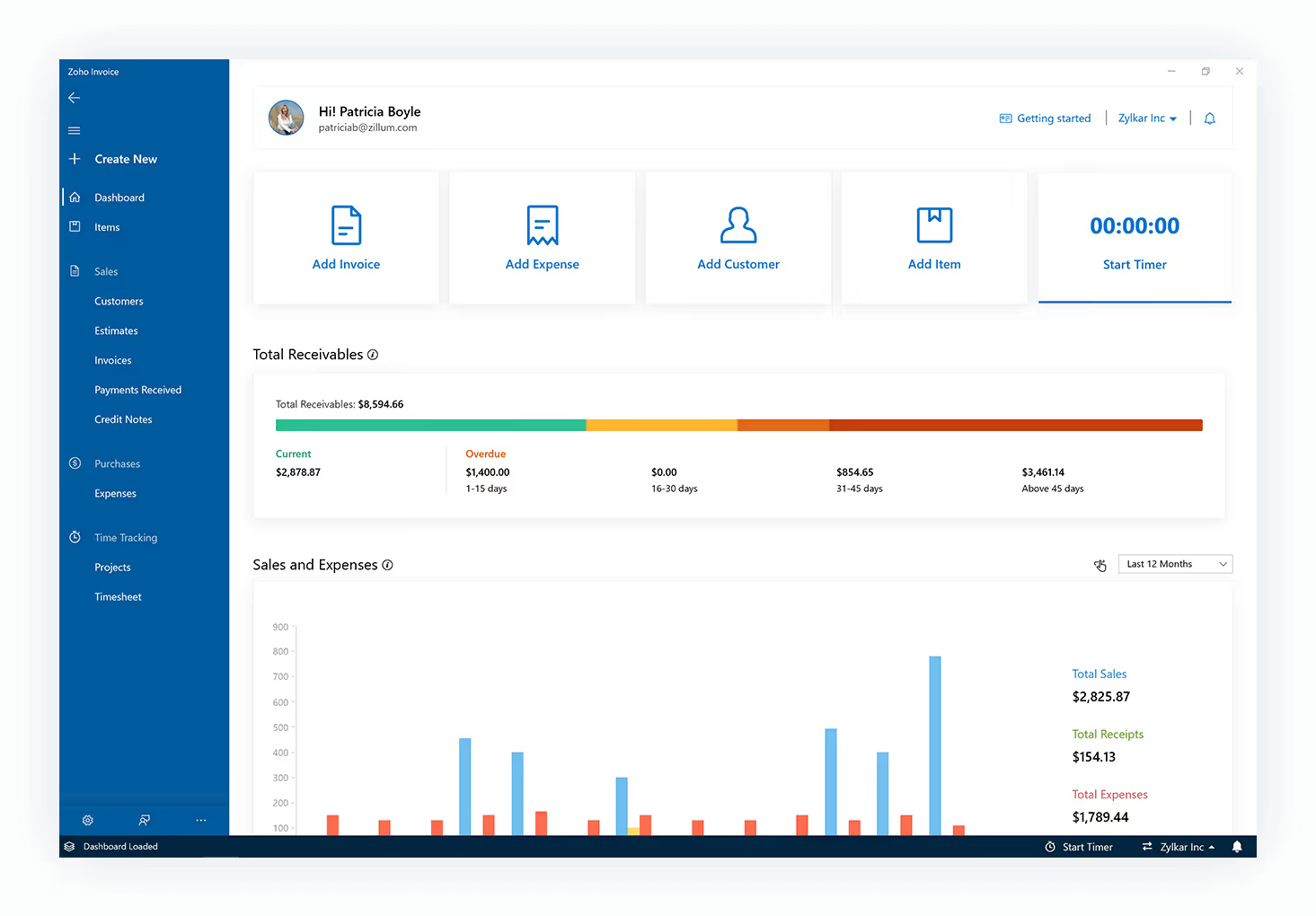
Zoho Invoice is a free tool designed for freelancers and small businesses that can be downloaded for mobile or desktop.
With it, you can create professional invoices, track billable hours, and automate payment reminders.
The app is part of the Zoho ecosystem, which means it integrates easily with Zoho Books if you need more advanced accounting, reporting, or tax management capabilities.
✔️ Pros
Free
Customizable templates
Smooth integration with Zoho products
✖️ Cons
Lacks deeper accounting features unless paired with Zoho Books
Limited offline functionality
3. FreshBooks
⭐⭐⭐⭐⭐ Rating
Capterra 4.5/5
Overview
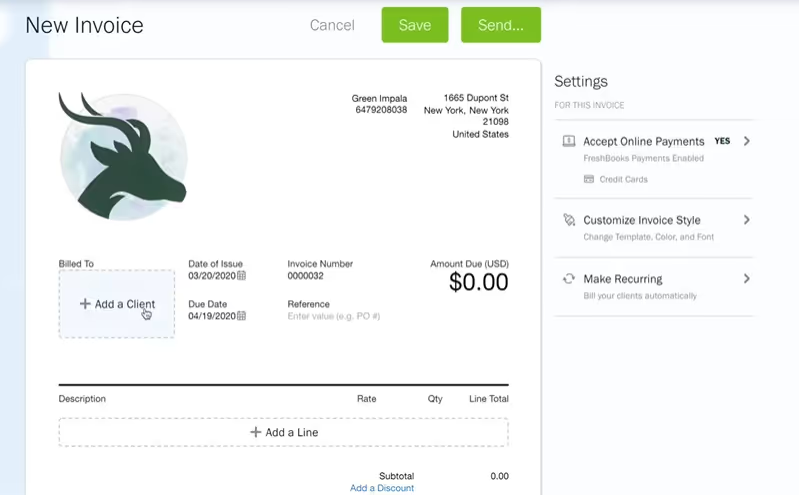
FreshBooks is built for small businesses and service-based professionals who need easy time tracking, client management, and invoicing in one platform.
It simplifies recurring billing and expense tracking and provides real-time insights into payments.
FreshBooks also offers Integrations with payment gateways and third-party apps.
However, to send unlimited invoices, you will need to spring for the Premium plan.
With the cheapest plan, you can send unlimited invoices but only to up to 5 clients, which is a good option if you only have a couple of payers.
✔️ Pros
Intuitive and modern interface
Time-tracking and expense management tools
Integrates with PayPal, Stripe, etc.
✖️ Cons
Monthly subscription costs may add up for small freelancers
Not scalable
Pricing
FreshBooks offers four plans to suit different business sizes. The Lite plan starts at $23/month and allows you to send invoices to up to 5 clients. The Plus plan is $43/month and covers up to 50 clients, adding financial and accounting reports, expense receipt scanning, and client retainers. The Premium plan is $70/month with unlimited clients, project profitability tracking, and customizable email templates. A Select plan is available with custom pricing for larger businesses, and includes dedicated phone support and lower transaction fees.
FreshBooks currently offers 60% off for the first 3 months on all plans, bringing the Lite plan down to $9.20/month, Plus to $17.20/month, and Premium to $28/month for that introductory period. A free trial is also available on all plans.
4. Wave
⭐⭐⭐⭐ Rating
Capterra 4.4/5
Overview
Wave is a web-based accounting tool that offers basic features for freelancers and small businesses.
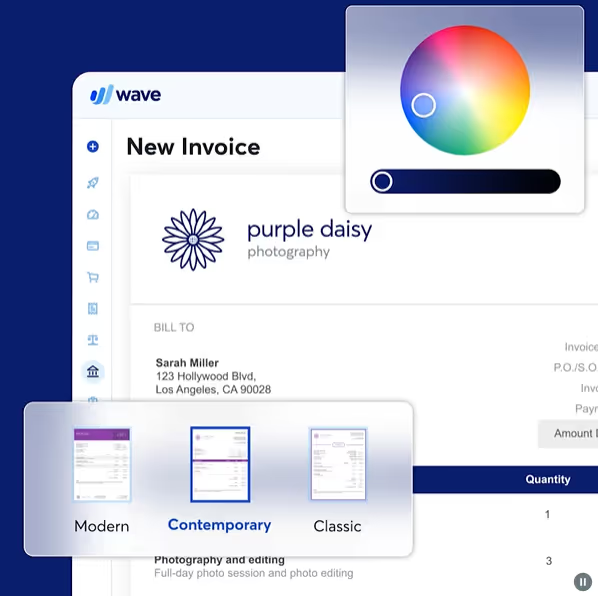
With Wave, you can create and send customized invoices. It supports online payments via credit card, bank transfer, and Apple Pay.
Wave connects with its built-in accounting tools, to sync payments and reduce manual bookkeeping.
You can manage customer information, track communications, and set up recurring billing or automated payment reminders.
You can send unlimited invoices with the free plan, although if you wish to automate the billing process, you will have to upgrade to the paid plan (at $19 per month or $190 per year).
✔️ Pros
Free manual invoicing
User-friendly dashboard
Supports online payments and automated reminders
✖️ Cons
Limited customer support for free users
Not scalable
Automation available for $190/month
Pricing
Wave offers two plans. The Starter plan is completely free and includes unlimited invoices, estimates, and bills, online payment processing, and a mobile app for invoicing on the go.
The Pro plan is $190/year (billed annually), or $19/month. It includes everything in the Starter plan plus auto-import and categorization of bank transactions, automated late payment reminders, discounted payment processing rates, and unlimited receipt capture.
5. BILL.com
⭐⭐⭐⭐ Rating
Capterra 4.2/5
Overview
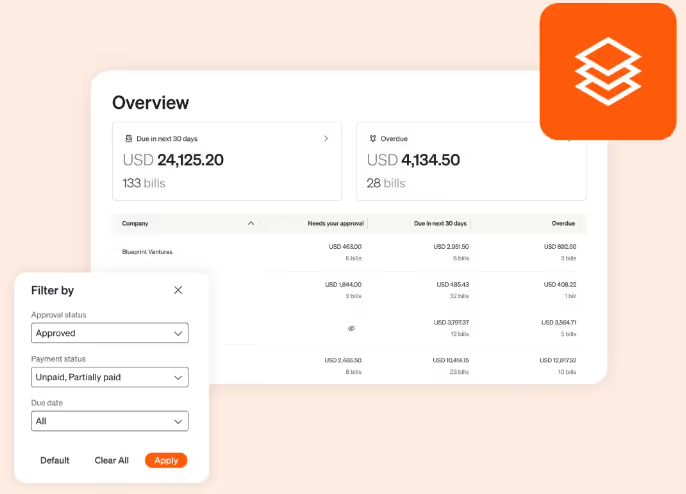
BILL.com is a financial operations platform that focuses on automated AP and AR.
BILL.com simplifies invoice approvals, digital payments, and cash flow management for complex businesses. If you need further accounting tools, you can integrate Bill.com with QuickBooks or Xero.
This tool allows automated recurring invoices, payment reminders, and an invoice tracker.
BILL.com also offers multiple payment options, including ACH, credit cards, virtual cards, and checks, allowing your customers to pay using their preferred method.
You can personalize invoice templates with your logo, layout, and custom fields to keep consistent branding.
✔️ Pros
Automated AR and AP
Advanced security and audit trails
Integrates with accounting tools and ERP systems
✖️ Cons
Higher cost
Features may be excessive for small businesses
Lacks accounting other features
Pricing
BILL.com offers two product lines. For Accounts Payable & Receivable, plans are priced per user per month: Essentials at $49, Team at $65, and Corporate at $89. An Enterprise plan is available with custom pricing for larger businesses needing enhanced security and multi-location accounting.
A separate Spend & Expense plan is available for free, designed for businesses that want to manage corporate cards, budgets, and expense tracking without a full AP/AR subscription.
6. Invoicely
⭐⭐⭐⭐⭐ Rating
Capterra 4.6/5
Overview
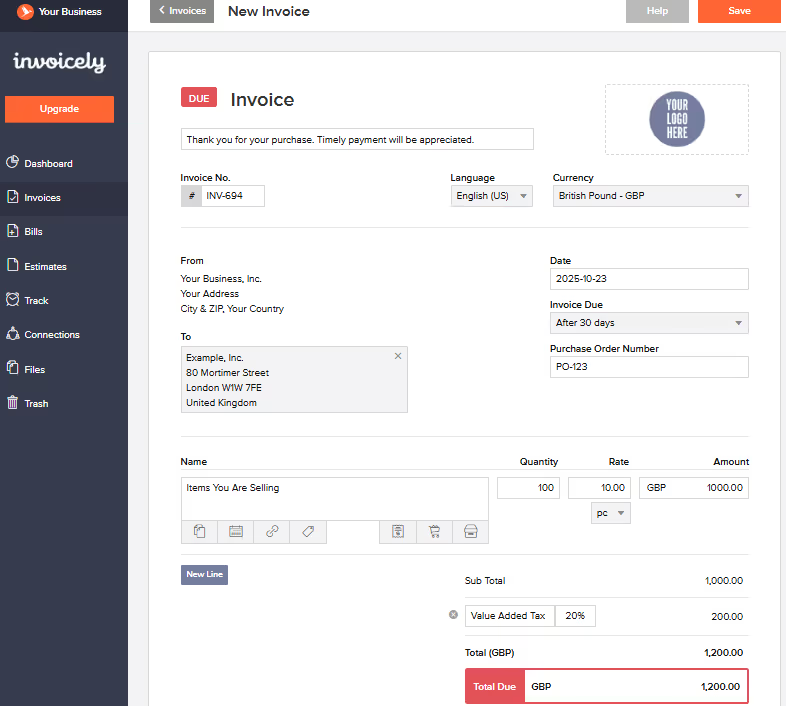
Invoicely offers a simple and affordable solution if you’re a freelancer or have a small company and you need to send invoices quickly.
It supports multiple payment methods, tracks time and mileage, and generates detailed reports.
Its free version is enough for basic needs, while paid tiers add branding, automation, and team collaboration features.
✔️ Pros
Free plan available
Supports multiple currencies and tax rates
Easy to use
✖️ Cons
Fewer accounting features
Limited scalability
Pricing
Invoicely offers four plans billed yearly. The Free plan allows up to 5 invoices per month and 3 saved clients, with PayPal-only payment processing and limited branding. The Basic plan is $7.99/month and supports up to 100 invoices, 25 clients, and 2 team members.
The Professional plan is $15.99/month and covers up to 250 invoices, 100 clients, and 10 team members. The Enterprise plan is $23.99/month with unlimited invoices and clients and up to 25 team members. All paid plans include time, expense and mileage tracking, recurring statements, and full branding.
7. Elorus
⭐⭐⭐⭐⭐ Rating
Capterra 4.9/5
Overview
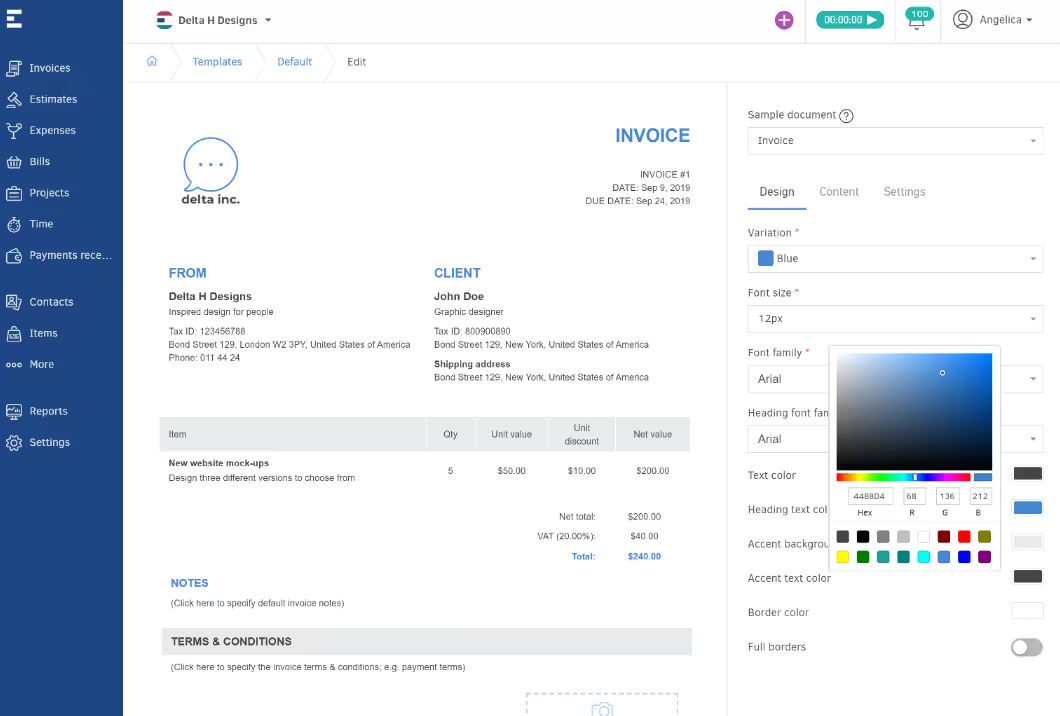
Elorus is an invoicing, time-tracking, and expense management platform created for freelancers, small businesses, and agencies.
You can create invoices in multiple currencies, track billable hours, and manage client payments easily.
The platform also includes reporting features that provide real-time visibility into cash flow, outstanding invoices, and project profitability.
With its cloud-based design, Elorus supports team collaboration and integrates with payment gateways and accounting tools.
✔️ Pros
Clean UI
Supports multiple currencies and tax rates
Built-in time tracking
✖️ Cons
With the free plan you can send unlimited invoices but only to 5 customers
Lacks accounting integrations
Pricing
Elorus follows a "start for free and pay as you grow" model, with all plans including free customer support.
The Free plan supports up to 5 active clients and includes time tracking, unlimited products and services, and 1 warehouse. The Starter plan is $7/month (billed annually) and expands to 25 active clients. The Standard plan is $15/month (billed annually), supports up to 500 active clients and unlimited warehouses, and is the most popular option. The Premium plan is $30/month (billed annually) and covers unlimited clients and warehouses.
When do I need an Invoice app?
An invoice app is a tool designed to send invoices, track payments, and send reminders to late payers.
However, it isn’t always the best solution.
An invoice app is a great solution for small businesses, freelancer, and entrepreneurs who work with a limited number of clients or projects.
It will provide an easy way to handle billing, track payments, and keep professional-looking documents without the complexity of full accounting systems.
But if you manage multiple clients, subsidiaries, currencies, or complex financial processes, an invoice app alone will quickly reach its limits.
Accounting firms, family offices, and CPA practices require a more advanced, integrated system that goes beyond invoicing, such as Eleven.
If you’re a freelancer or small business sending a few invoices a month, a simple invoice app will do the job.
FAQs
Can I do my invoices with ChatGPT?
You can use ChatGPT to create invoice templates or generate invoice text, but ChatGPT itself is not an invoicing system. While it can help you draft the layout, wording, and structure of an invoice, it doesn’t send invoices, track payments, or integrate with your accounting software.
What is the best invoice app?
The best invoice app depends on your business size, workflow, and budget. Popular options include Eleven for AI-powered invoicing and bookkeeping automation, Wave for free invoicing features, Invoicely for entrepreneurs, and BILL for automated AR and AP.
Are invoicing apps secure?
Yes. Reputable invoicing apps use encrypted data storage, secure cloud servers, and multi-factor authentication to protect sensitive financial and client information. Always choose a platform that follows GDPR or other relevant compliance standards, and avoid sending invoices over unsecured channels.
What is a free invoicing app?
Several invoicing apps offer free plans with essential features for small businesses or freelancers. Tools like Wave, Zoho Invoice, and Invoicely allow you to create, send, and track basic invoices at no cost.
Can I create an invoice on my phone?
Absolutely. Most modern invoicing apps are mobile-friendly and allow you to create, send, and manage invoices directly from your phone or tablet.
How to create a simple invoice for free?
Creating a simple invoice for free is easier than you might think. You can use free tools like Google Docs or Microsoft Word to start from a blank template, or use a dedicated free invoicing app, which offer ready-made templates you can fill in and send in minutes.


%20(1).avif)
.avif)
%20(1).avif)




