Complete Sage Review With Product and Feature Breakdown for 2026
In this Sage review, we analyze Sage’s product lineup, Sage Intacct’s features, and real customer reviews to decide whether Sage is the right accounting solution for you.
As companies scale, choosing the right accounting system becomes more complex. This review clarifies how Sage compares, where it excels, and it may fall short.
In this article
Sage has been around for over 40 years and today serves millions of businesses across dozens of countries, but that scale comes with a tradeoff: a fragmented product lineup that can be genuinely confusing to navigate.
This review breaks down Sage's main products, digs into Sage Intacct's features in detail, and surfaces what real users say about it so you can decide whether Sage is the right fit before committing to a demo or a contract.
It's worth noting upfront: Sage is not a one-size-fits-all tool.
Whether it's right for you depends heavily on your company size, industry, and operational complexity.
What is Sage Accounting Software?
Sage Accounting Software is a collection of cloud-based and on-premise financial management tools designed to help businesses manage bookkeeping, invoicing, payroll, inventory, budgeting, and compliance.
Sage products offer a broad portfolio designed to meet the needs of freelancers, small businesses, mid-market companies, and large enterprises. Basically, there is a product for each business type and size. The key (and challenge) is choosing the correct one.
Sage Products
Sage does not offer a single accounting product. Instead, it provides a wide ecosystem of solutions, each with a specific purpose, architecture, and ideal user base.
The table below will help you identify which product applies to your business before diving deeper into Sage Intacct.
Product
Best For
Deployment
Sage Intacct
Mid-market to enterprise, SaaS, nonprofits
Cloud
Sage X3
Large enterprises with complex operations
Cloud / On-premise
Brightpearl
Retailers and e-commerce brands
Cloud
Sage 50
Small businesses
Desktop
Sage 100
Mid-sized manufacturers and distributors
On-premise
Sage 300
Multi-entity, multi-currency businesses
Cloud / On-premise
Sage HR
HR and workforce management
Cloud
Sage Intacct is a cloud-native accounting platform with automation, multi-dimensional reporting, and strong compliance controls. It handles multi-entity consolidation, revenue recognition under ASC 606 and IFRS 15, and project accounting, making it a strong fit for businesses with layered financial structures. Nonprofits also rely on it heavily for fund accounting and grant management.
Sage X3 is an enterprise ERP that connects financial management with operations like manufacturing, supply chain, and procurement. It is highly customizable and commonly used in industries such as pharmaceuticals, food and beverage, and industrial goods.
Brightpearl is built for retailers and e-commerce brands managing high order volumes across multiple channels. It integrates with Shopify, Amazon, and BigCommerce, and automates order routing, inventory syncing, and returns processing.
Sage 50 formerly Peachtree, is a desktop-based solution for small businesses that need more than basic bookkeeping but are not yet ready for ERP. It covers invoicing, budgeting, job costing, and basic inventory, and suits businesses that prefer locally installed software.
Sage 100 previously MAS 90/200, sits between Sage 50 and Sage X3 in complexity. It serves mid-sized distributors and manufacturers with modules for inventory control, order processing, purchasing, and basic production workflows.
Sage 300, formerly ACCPAC, is the stronger choice for businesses operating across borders. It handles multi-currency transactions, financial consolidation across regions, and multi-entity reporting, making it well suited for global trading companies and international subsidiaries.
Sage HR is not an accounting tool, but it integrates with Sage's accounting and payroll products to centralize workforce and financial data. It covers onboarding, scheduling, performance reviews, leave management, and attendance tracking.
The rest of this review focuses on Sage Intacct, as it is the most widely adopted product for mid-sized businesses managing complex financials.
Sage Accounting Features
In this feature breakdown, we will be analyzing Sage Intacct specifically, as it is the primary accounting software within the Sage ecosystem.
Sage Intacct can be used by small accounting firms, however it is better suited for mid-sized businesses who don’t want to outsource their accounting.
Particularly for manufacturing and distribution businesses, Sage Intacct provides specialized operational modules.
Manufacturing operations tools offer visibility into material costs, production timelines, and operational profitability. Distribution operations modules streamline inventory management, warehouse operations, and order fulfillment.
A feature useful to this industries could be management and vendor capabilities where you can control costs, automate invoice capture, or process payments among others.
Some other features include:
Accounting and ERP
Sage Intacct’s accounting and ERP capabilities provide a foundation for financial management, allowing organizations to automate core accounting functions such as general ledger, accounts payable, accounts receivable, cash management, and project accounting.
By streamlining these processes, finance teams can reduce manual work, improve accuracy, and free up time to focus on strategic initiatives. Multi-entity consolidation, revenue recognition, and inventory control are seamlessly managed, providing a real-time view of organizational performance across multiple departments, locations, or subsidiaries.
This system helps you ensure your financial data is accurate, consistent, and accessible for decision-making.
Planning
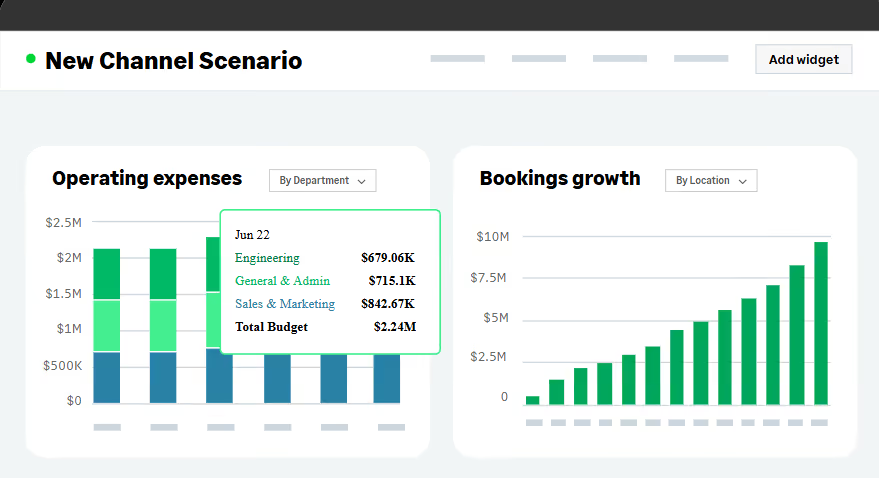
The planning module in Sage Intacct allows you to build budgets, forecasts, and what-if scenarios quickly and accurately.
With spreadsheet-like formulas, prebuilt templates, and collaborative functionality, teams can work together across departments in real-time while relying on live data.
This module is used to respond quickly to changing conditions, align financial goals with operational plans, and make informed strategic decisions. You can model multiple scenarios, track variances, and optimize resource allocation to drive profitability and growth.
Analytics
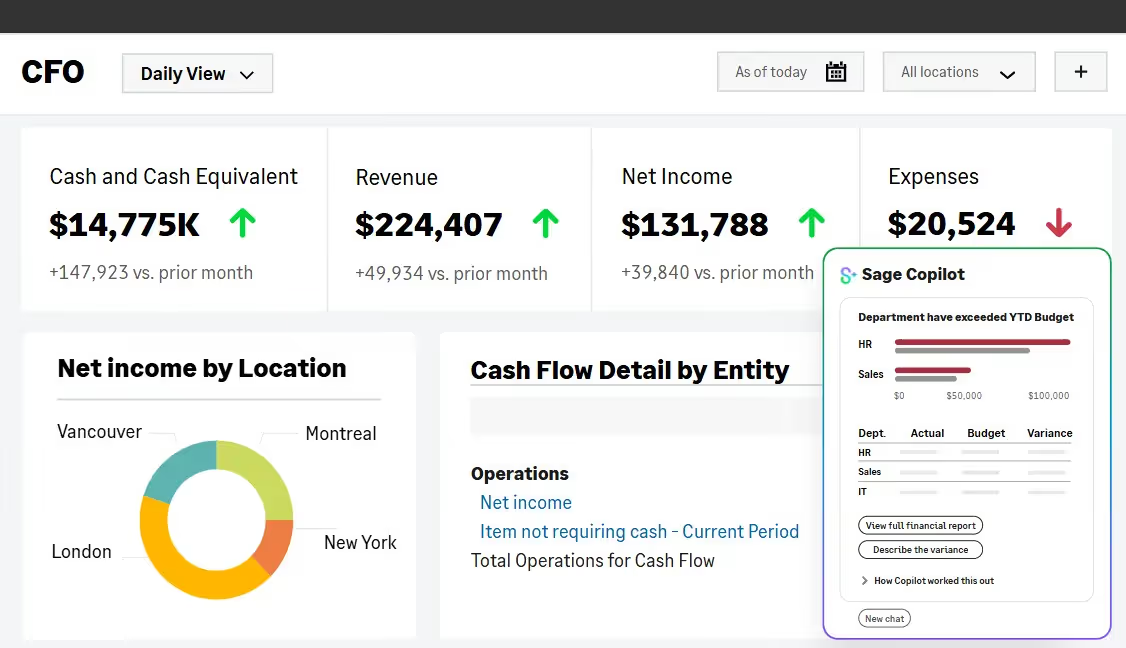
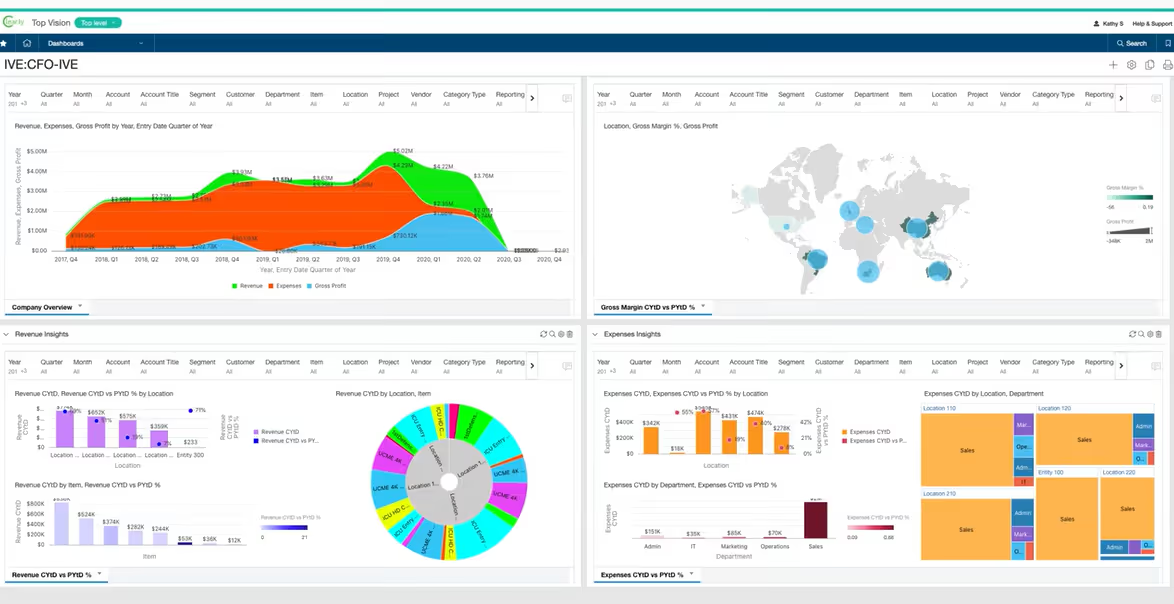
Sage Intacct provides advanced analytics and real-time dashboards that turn financial and operational data into actionable insights. By using predictive analytics and visual reporting, finance leaders can identify trends, risks, and opportunities faster than traditional reporting allows. Analytics help businesses monitor cash flow, profitability, revenue streams, and operational efficiency, enabling data-driven decision-making. This capability reduces the reliance on manual spreadsheets and delayed month-end reporting, giving leaders instant visibility into the organization’s financial health.
Payroll and HR
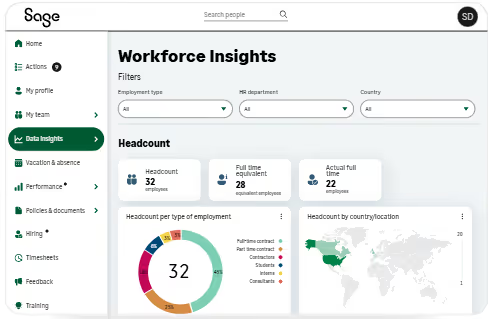
Although Sage has an entire product specific to HR departments, Sage Intacct still offers integrated payroll and HR capabilities that allow you to combine employee, payroll, and accounting data within a single system.
Sage Intacct ooffers accurate payroll processing, efficient time and attendance tracking, and centralized HR management.
By linking workforce data to financial operations, you can better understand labor costs, optimize staffing, and improve profitability.
Global Capabilities and Multi-Entity Consolidations
Sage Intacct simplifies global financial operations by supporting multi-currency, multi-location, and multi-entity structures.
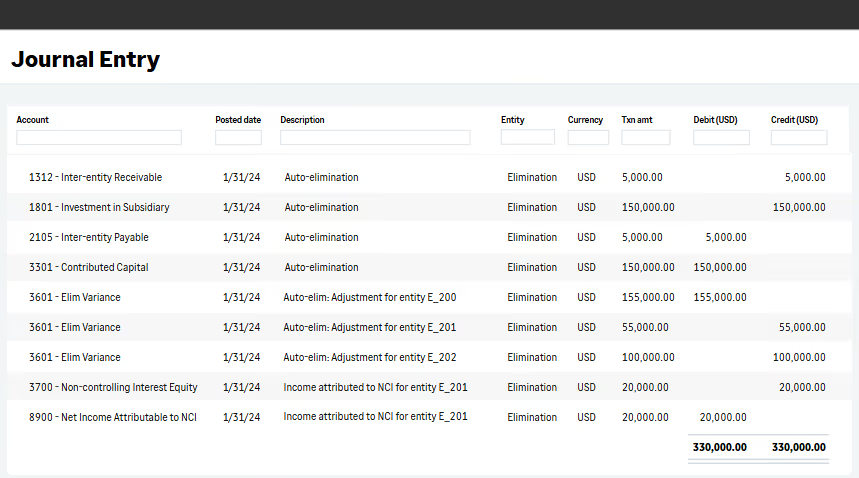
This means you could consolidate financial statements, manage intercompany transactions, and remain compliant across several jurisdictions.
This functionality allows you to scale globally while maintaining accurate, centralized financial control and real-time visibility into performance across all entities.
Sales and Use Tax
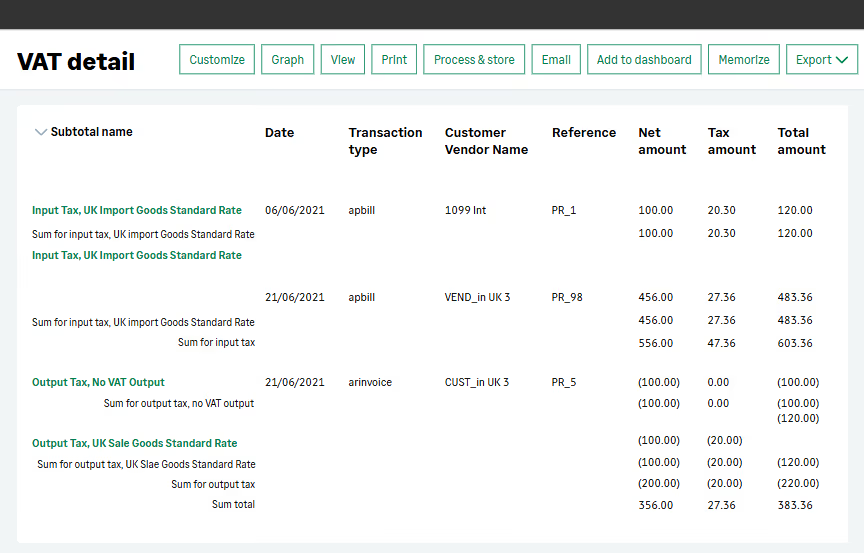
The sales and use tax module provides automated calculation, reporting, and compliance for domestic and international tax requirements.
By reducing manual entry and automating tax rules, Sage Intacct ensures accurate tax reporting, lowers compliance risk, and saves time.
This tool integrates with financial and operational data to provide a complete view of tax obligations.
What do Users Think?
⭐⭐⭐⭐ Ratings
G2 4.3/5 | Capterra 4.3/5
User reviews for Sage Intacct are generally positive, highlighting its strong financial management capabilities and cloud-based flexibility.
Many users praise its automation features, especially for accounts payable, multi-entity consolidation, and real-time reporting, which help reduce manual work and improve accuracy.
Reviewers often note that the customizable dashboards and deep integration options make it suitable for growing businesses with complex accounting needs.
However, some users mention a learning curve, higher pricing compared to simpler accounting tools, and occasional challenges with customization.
Users have also expressed frustration due to the lack of an automated bank reconciliation, forcing users to reconcile accounts manually.
Overall, Sage Intacct is viewed as a powerful, reliable solution for mid-sized companies seeking advanced financial functionality.
✔️ Pros
Extensive reporting with the Financial Report Writer
Strong integrations with Salesforce and Excel
Modular structure
✖️ Cons
Tailored to the US market
The UI is not intuitive for new users
Issues generating large revenue reports
Is Sage Worth it?
In the end, Sage’s ecosystem offers many financial and operational solutions, from entry‑level accounting in Sage 50 to advanced ERP capabilities in Sage X3 and the powerful, cloud‑native automation of Sage Intacct.
Its products deliver strong reporting, multi‑entity management, real‑time visibility, and industry‑specific tools that support everything from service‑based companies to manufacturers and global enterprises.
Sage is best suited for growing mid‑market organizations that need more robust functionality than basic bookkeeping systems can provide and want a platform capable of scaling as operations become more complex.
However, Sage’s issue lies in its complicated architecture.
If you’re looking for an accounting tool that grows with you without any significant changes to your system, book your demo with Eleven now.
Noel Bouwmeester is an SEO content strategist and B2B SaaS writer focused on organic growth, search visibility, and AI-era content discovery. He has contributed to SEO and content marketing initiatives for companies including lempire and lemlist, helping support large-scale organic traffic growth through search-focused content strategies. At Eleven, he contributes educational SEO content focused on accounting technology, automation, and AI-driven business workflows.


.avif)



.avif)