Everything You Need to Know About AI Bookkeeping in 2026
AI bookkeeping leaves routine tasks such as cording and reconciliation up to software and automation. Choosing the right tool will help you take your role from record keeper to strategic advisor.
Automation and AI have slipped into accounting, and bookkeeping is benefiting most from it. Automate routine tasks with AI bookkeeping and make sure you offer oyour clients the best investing advice. Among the 5 best AI bookkeeping software you can find Eleven, QuickBooks Online, Xero, Zoho Books, and Bench. Are you ready for an upgrade?
In this article
It's undeniable that accounting and bookkeeping has changed as automation tools have become more and more popular.
If you're a bookkeeper or business owner, you've probably heard the term "AI bookkeeping" thrown around more and more. But what does it actually mean? And more importantly, how can it help you?
In this guide, we'll cover everything you need to know, from what AI bookkeeping is, to the best software available in 2026.
What is AI bookkeeping?
AI bookkeeping is implementing the use of AI-powered software and tools to automate your regular bookkeeping tasks such as transaction recording, reconciliation, and financial reporting.
These tools will be able to learn from your data in order to improve accuracy and efficiency, while reducing human errors.
Basically, AI bookkeeping doesn’t aim to take over your business but to automate tasks and processes that are time-consuming and prone to error. Through machine learning, it can also predict future behavior, offer insights, and help you detect fraud.
Will AI Replace Bookkeepers? The Role of a Bookkeeper with AI
This is a concern that is present in many bookkeepers who are still hesitant to switch to AI bookkeeping. And it's a fair one.
First of all, no, AI will not replace bookkeepers or make their role irrelevant. It simply means that bookkeepers will begin to adopt new roles.
Traditionally, bookkeepers managed daily financial records, balanced accounts, and ensured accurate reporting. It was time-consuming, detail-heavy work that left little room for anything else.
With AI, most of these tasks are automated. Except for revisions. After all, your results are only as good as the quality of your data.
Bookkeepers who use AI accounting tools shift from data entry to roles that emphasize financial oversight, compliance, and strategic insight. Think less time staring at spreadsheets, more time advising clients on what the numbers actually mean.
AI doesn't replace bookkeepers, it enhances their capabilities, allowing them to focus on other tasks that can provide valuable advice to their clients, such as cash-flow advice or spotting irregularities. In fact, bookkeepers who embrace AI tools are becoming more valuable to their clients, not less.
How to use AI in bookkeeping
Using AI in bookkeeping means you are adding smart automation to your workflow, therefore saving time, improving accuracy, and helping you make better decisions.
AI tools can be integrated into daily operations to handle repetitive tasks, provide real-time financial insights, and flag potential issues before they become problems.
We’ll show how AI can impact 3 actual scenarios in bookkeeping.
Scenario 1: Automating bank reconciliation
You manage the bookkeeping of an e-commerce store and sell your product in multiple countries and multiple currencies.
The issue here would be reconciling daily sales from different payment gateways (for example Stripe, PayPal, Shopify) with bank deposits, as it is time-consuming and prone to error.
Where you might find this scenario: think of companies like ASOS, which processes payments across 200+ markets through multiple gateways. The reconciliation challenge alone is enormous.
If you integrate an AI bookkeeping tool, it could automatically pull transaction data from all sources, match them against deposits, and reconcile them quickly and accurately. It would even detect transaction fees and currency conversion gains and losses.
The result is saving hours of manual work, therefore freeing up your time to focus on cash flow planning and supplier negotiations.
Result: What previously took hours every week was completed in minutes, freeing up the bookkeeper to focus on cash flow planning and supplier negotiations.
Scenario 2: Auto-categorizing and tagging expenses
You’re in the finance team in a marketing agency where you, and most teams, work remotely and you receive dozens of recurring software subscriptions daily.
The problem is that your team is spending way too much time manually categorizing frequent (but different) expenses including software tools, ad expenses, and other payments.
Where you might find this scenario: think of an agency like Publicis Sapient, managing ad spend and software subscriptions across dozens of global teams at once.
If your team was using an AI-driven bookkeeping system, it would start learning from past categorizations and automatically tag transactions based on vendors, frequency, and amounts.
For example, it could recognize “Google LLC” as a marketing expense, and “Slack Technologies” as a communication tool
This would lead to a jump in categorization accuracy to over 95%, and monthly closings speeding up by 40%.
Scenario 3: Detect anomalies in vendor payments
You’re keeping the books for a construction company that manages dozens of vendors and subcontractors.
Your main pain point is that you stumble across many duplicate and inflated invoices that have accidentally slipped through approval. This leads to overpayments and scary deficits in your books.
Not ideal.
Where you might find this scenario: think of a large contractor like Bechtel, coordinating hundreds of subcontractors and vendors across multiple active projects simultaneously.
An AI bookkeeping software would analyze historical vendor patterns and flag invoices that are 30% higher than usual and have arrived out of schedule. Additionally, it detects all duplicate invoices that are submitted under slightly altered vendor name.
This would help you save your company from mistaken payouts (that could escalate pretty quickly) and tighten your management control in the future.
Your tasks can vary from managing complex multicurrency transactions to simply trying to close the books faster, but using AI in bookkeeping can help you reduce manual effort, prevent errors, and help your team work smarter.
Benefits of AI Bookkeeping
Including an AI bookkeeping tool will offer many benefits.
By automating processes such as adding routine entries and reconciliations, you will be saving at least 40% of your time, leading to an increased productivity and scalability.
Without having to implement new systems, adding man power or manual labor, you take on more clients and expand your firm. The best part is that with AI you won’t have to worry about making wrong decisions, as you will receive insights into your books that will improve your cash flow management.
Additionally, AI bookkeeping software will (generally) help you avoid human error and intercept any possible inconsistencies thank to machine learning, therefore reducing the chances of fraud and legal issues.
Finally, AI bookkeeping software will allow you to have easy access to your updated books, anywhere and at any time.
Features in AI bookkeeping software
If you’re looking to include an AI bookkeeping tool in your tool stack, you should know that not all tools will be the best fit for you.
You will need a powerful software that combines automation, intelligence, and reliability, but that also meets your specific needs.
Here are some must-have features that you should look out for before you make your decision:
Automated transaction categorization
The software should automatically categorize income and expenses based on past behavior, vendor patterns, or keyword rules. This will help you save hours of manual entry.
Real-time bank feed integration
Direct connections to your bank accounts, credit cards, and payment processors allow the system to pull in transactions in real time and keep your books always up to date.
Multicurrency support
Being able to operate in multiple currencies automatically will help you expand your firm and not be limited to a specific location and client. Look for platforms that fetch real-time exchange rates, convert automatically, and track gains and losses.
Automated invoice management
AI bookkeeping tools should generate, send, and follow up on invoices automatically, even recognizing late payments and issuing reminders.
AI-driven reconciliation
Matching bank transactions to invoices, payments, or receipts using AI logic speeds up reconciliation and reduces the risk of human error.
Anomaly detection and alerts
AI should flag unusual transactions, duplicate charges, or missing invoices, acting like an intelligent financial watchdog that improves data integrity and helps you raise the bar for accuracy.
Machine learning-based insights
The best tools won’t be limited to automating routine tasks, they will also learn from historical data and performance.
Machine learning will offer smarter and personalized recommendations and will be able to flag anomalies much easier.
This feature will also help build an accurate cash flow forecast that uses payment behaviors to provide deep insights.
Integration with with your current tool stack
When choosing your tool, it is important that you analyze the tools you currently use and if your bookkeeping tool could integrate with them.
Some tools you need include a CRM, inventory system, payroll, taz platform, etc.
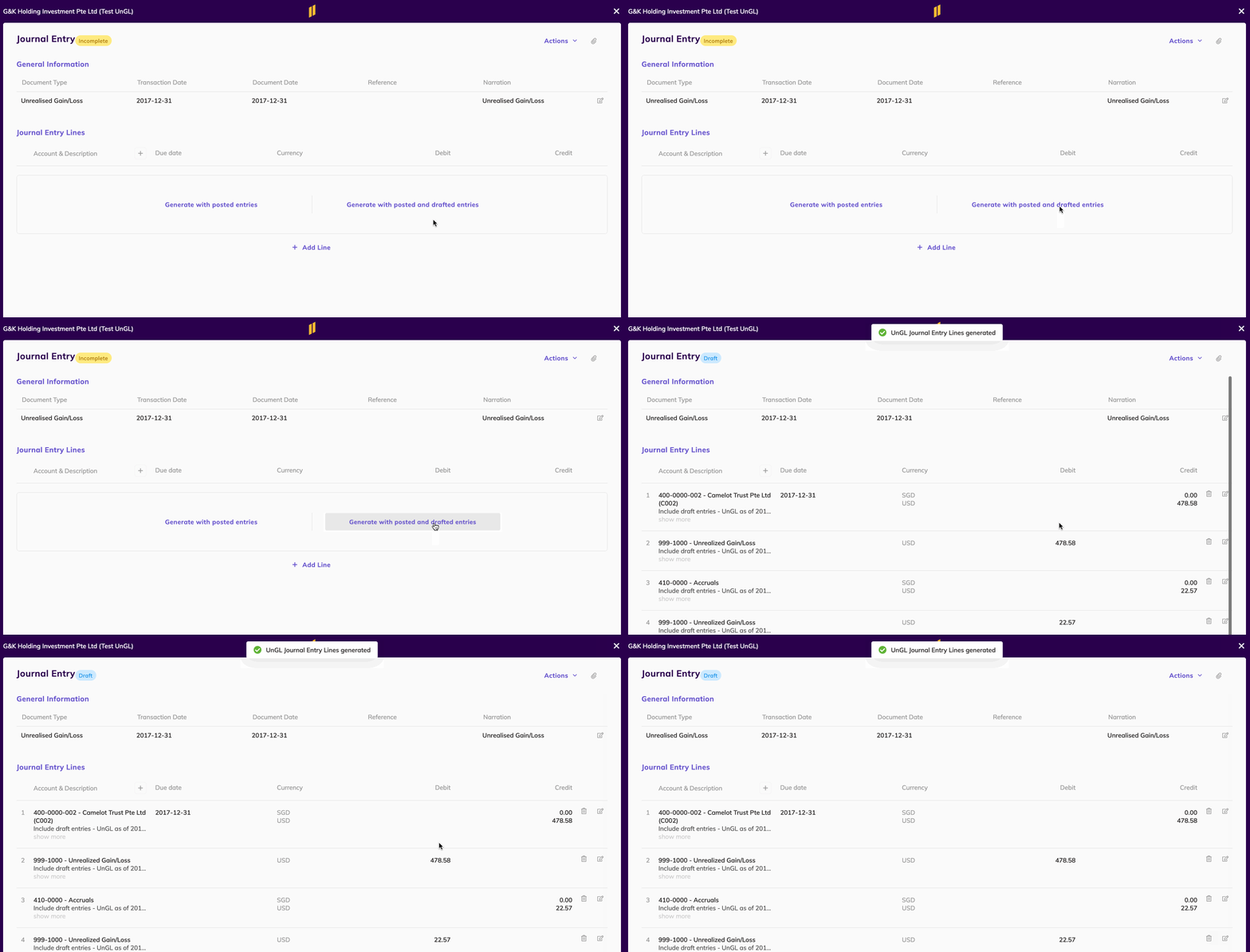
Eleven includes all of these essential features, focusing on multicurrency automation, real-time reporting, and global compliance.
5 Best AI Bookkeeping Software in 2026
If you’re ready to consider an AI bookkeeping software, we’ll leave you with 5 of our favorite options that can become real assets for your firm.
Eleven is a complete AI-powered accounting platform that is designed for accounting firms who need powerful multicurrency accounting and automated bookkeeping.
Unlike other bookkeeping tools, Eleven focuses on real-time financial clarity across currencies, regions, and teams, making it ideal for startups and scaling companies operating globally.
Some other features include:
Smart categorization and reconciliation
Global compliance tools
Real-time reporting
Permission controls and audit logs.
Best for:
Global-first startups
Remote finance teams
Businesses with multicurrency operations or international vendors
✅ Pros:
Excellent multicurrency support
Designed for global workflows from day one
Fast, intuitive UI with real-time insights
AI reduces manual reconciliation time drastically
❌ Cons:
May be overpowered for purely local businesses
Newer on the market
Pricing
Eleven offers two plan types: Accounting Firm and Family Office. A free trial is available on all paid plans.
For accounting firms:
Standard — $35/month. Includes unlimited users, multi-entity bookkeeping, AI-powered bank and invoice extraction, 170+ currencies, and basic reporting.
Professional — $40/month. Everything in Standard plus consolidated reporting, custom report builder, and priority support.
Enterprise — Custom pricing. For large-scale operations, includes full API access, custom workflows, audit trail, SLA guarantees, and a dedicated account manager.
For family offices:
Single Family Office — $55/month. Includes multi-entity accounting, intercompany transactions, advanced approval workflows, and AI-powered insights.
Multi-Family Office — Custom pricing. Everything in Single Family Office plus white labeling, custom integrations, and priority support.
Pricing scales with the number of entities managed, so costs can vary significantly at higher volumes. Contact Eleven directly for a custom quote if you're managing a large portfolio.
2. QuickBooks Online (Advanced)
QuickBooks Online is one of the most popular accounting platforms for small and mid-sized businesses. The Advanced plan has significantly expanded its AI capabilities in recent years and is no longer just a reporting tool — it now includes a dedicated Finance Agent that works in the background.
Some features you can find are:
AI-powered Finance Agent for forecasting and anomaly detection
Intuit Intelligence — an AI chat tool that answers plain-language questions about your books
Smart reporting and customizable dashboards
Payroll and invoicing integration
Multi-user support (up to 25 users)
✅ Pros:
Robust and constantly updated AI features
Solid integrations and payroll features
Good for compliance in the U.S.
❌ Cons:
Multicurrency support only in higher-tier plans
Can become expensive with add-ons
Complex UI for new users
Pricing
QuickBooks Online offers four plans, with AI features expanding significantly at higher tiers. Note that the prices below reflect a 50% introductory discount for the first 3 months.
Simple Start — $19/month (1 user). Includes Intuit Intelligence, AI-powered bank feeds, income and expense tracking, and invoicing.
Essentials — $37.50/month (3 users). Adds AI-powered collaboration, bill management, and multicurrency support.
Plus — $57.50/month (5 users). Adds anomaly detection, a Customer Agent for email follow-ups, inventory tracking, and budgeting.
Advanced — $137.50/month (25 users). The full AI suite — Finance Agent for forecasting and proactive insights, Project Management Agent, custom report builder, workflow automation, and data sync with Excel.
If you're looking to take full advantage of the AI features covered above, the Advanced plan is where they live. The Finance Agent and Project Management Agent are exclusive to this tier.
3. Xero
Xero is a clean, cloud-based accounting software designed for businesses with remote teams or international vendors.
It is a good choice for creative, tech, and service-based industries.
It offers strong automation and a global-friendly interface.
Among its features you can find:
Multicurrency support
Bank feed automation
Expense claims and approavals
Mobile app
✅Pros:
Intuitive interface
Strong global capabilities
Great for collaborative finance teams
❌ Cons:
No built-in payroll in some regions (e.g., U.S.)
Slightly slower customer support compared to competitors
Some features hidden behind add-ons
Pricing
Xero offers three plans, with multicurrency support reserved for the top tier. Prices shown are standard rates (a temporary promotional discount is currently available).
Starter — $29/month. Includes invoicing, bank reconciliation, bill entry, real-time reports, and 30-day cash flow forecasting.
Standard — $50/month. Adds unlimited invoices and bills, auto-reconciliation (beta), bulk reconciliation, tailored financial health scorecards, and customizable dashboards.
Premium — $75/month. Everything in Standard plus multicurrency support, 180-day cash flow forecasting, and KPI and ratio analysis.
Worth noting: expense tracking and project tracking are available as paid add-ons across all plans, starting from $4/month and $7/month respectively — something to factor in if your team needs those features.
4. Zoho Books
Zoho Books is part of the Zoho enterprise.
In addition to a seamless integration with other Zoho products, it offers AI-powered bookkeeping features and automation options for businesses already using Zoho tools.
It’s ideal for lean teams that want detailed control over workflows, including startups, SaaS buisiness, and other tech savvy teams.
Some bookkeeping features include:
AI-powered workflows
Smart invoicing
Project billing and time tracking
Bank reconciliation
✅ Pros:
Affordable pricing
Advanced automation and customization options
GDPR and global compliance-ready
❌ Cons:
Learning curve for non-tech users
Not ideal for larger accounting firms
Integration outside Zoho tools can be limited
Pricing
Zoho Books offers four plans, including a free tier — making it one of the more accessible options on this list. Prices are billed annually per organization.
Free — $0/month. For solopreneurs and micro businesses. Includes invoicing, bank reconciliation, recurring invoices, and 50+ reports. Limited to 1 user.
Standard — $15/month. Adds bank feeds, recurring expenses, custom reports, API access, and 1099 filing. Up to 3 users.
Professional — $40/month. Adds multicurrency transactions, inventory tracking, project profitability, purchase orders, and custom workflows. Up to 5 users.
Premium — $60/month. Everything in Professional plus cash flow forecasting, revenue recognition, fixed asset management, custom modules, and a self-service vendor portal. Up to 10 users.
Zoho Books is notably one of the most affordable options on this list, especially for small teams — and the free plan is a genuine starting point, not just a limited demo.
🔷 5. Bench
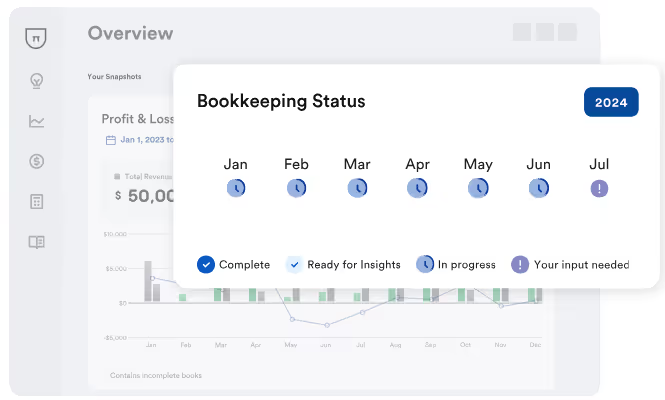
Bench is a hybrid bookkeeping service that combines AI software with a dedicated human bookkeeper.
Unlike traditional DIY software, Bench handles your books for you, which is ideal for founders who want minimal involvement in bookkeeping.
This is a good choice for solo entrepreneurs, founders of small businesses that lack an in-house finance team.
Some features include:
Automated transaction syncing
Human bookkeeper oversight
Tax support
Simple dashboard
Catch-up bookkeeping
✅ Pros:
Great for time-strapped business owners
Human support included
Flat-rate pricing
❌ Cons:
Not suitable for complex or fast-scaling operations
No native multicurrency support
Limited customization
Pricing
Bench uses a service-based pricing model rather than traditional software tiers. Pricing depends mainly on the size of your monthly expenses and the complexity of your bookkeeping needs. Plans typically start at a flat monthly rate and scale as your business grows.
Starter — $189/month. Includes a dedicated bookkeeper, automated transaction imports, monthly financial statements, and a simple dashboard to monitor your finances
Core — $339/month. Everything in Starter plus more frequent communication with your bookkeeping team, expanded financial reporting, and support for growing businesses with higher transaction volumes.
Core + Tax — $599/month. Everything in the Core plan plus full-service tax support, including preparation and filing of your annual business and personal income tax returns by licensed tax professionals.
Bench also offers Catch-Up Bookkeeping, a one-time service that helps bring past books up to date if your accounting has fallen behind. Pricing varies depending on how many months need to be completed.
Because Bench operates as a done-for-you bookkeeping service, the pricing includes both the software platform and human bookkeeping support, making it appealing for founders who want minimal involvement in managing their books.
How to Choose the Right AI Bookkeeping Tool
Now you know why you should add an AI bookkeeping tool to your current tool stack.
However, choosing the perfect tool will mark the difference between a valuable asset and a mess of numbers.
Use this checklist when choosing your tool:
Does it support multiple currencies and global clients?
Is automation built into transactions, reconciliation, and categorization?
Does it integrate with your CRM, payroll, or inventory systems?
No, AI will not replace bookkeepers or accountants.
We understand that this is a pressing (and scary issue) but bookkeepers are still necessary to manage a business’ accounting needs, especially when we are dealing with large enterprises.
However, it is important that you understand and keep up with the new trends so you don’t fall behind.
Can AI do my bookkeeping?
Yes, AI can handle many bookkeeping tasks such as categorizing transactions, reconciling accounts, generating financial reports, and even detecting anomalies.
AI-powered bookkeeping tools like Eleven can automate up to 80–90% of routine bookkeeping tasks, reducing errors and saving time.
However human oversight is still essential to ensure it all runs smoothly.
Can ChatGPT do my bookkeeping?
ChatGPT can help explain bookkeeping concepts, assist with categorization rules, interpret financial reports, or guide you on how to use specific software.
However, it doesn’t connect directly to your bank feeds or accounting system, so it can’t fully automate your books.
Can you automate bookkeeping?
Absolutely.
You can automate bookkeeping using AI tools that handle data entry, bank reconciliation, invoice matching, report generation, and even tax compliance.
Tools like Eleven, Zoho Books, and QuickBooks offer varying levels of automation based on your needs, especially useful for startups, remote teams, or businesses with international operations.


.avif)



%20(1).avif)
.avif)




